

 English Malay
  China
China  Türkiye
  France
  Spain
Spain  Vietnamese
  Thailand
  India
India  Русский
  Japan
Japan  Arabic
  Mexico
  Peru
Peru  Argentina
  Korea
Korea  Eng-Canada
  Cambodia
  Philippines
  Bangladesh
  Hong Kong
  Australia
  Singapore
  Colombia
  Iran
Iran In the era of modern financial trading, speed and stability are the two factors that determine the survival of any trading strategy. If you are using MetaTrader 5 (MT5) to run Expert Advisors (EAs) or Copy Trading systems, owning a VPS for MT5 is no longer an option — it is a mandatory requirement.
At Wemastertrade, we do not sell server services; we provide knowledge to help you become a more informed and professional trader. This article offers an in-depth analysis of every aspect of VPS usage to help you optimize your trading performance.
What is a VPS for MT5 and why do traders need it?
A VPS (Virtual Private Server) is a virtual server that runs continuously 24/7 on a cloud computing infrastructure. When you install MT5 on a VPS, your trading platform operates independently from your personal computer.
Core benefits:
- 24/7 operation: Your trading robots (EAs) execute trades even when your personal computer is turned off or your internet connection is lost.
- Reduced latency: Hosting your VPS close to your broker’s server allows orders to be transmitted within milliseconds.
- Maximum security: Minimizes risks from malware on personal computers or unexpected hardware failures.

“Golden” criteria for choosing a VPS for MT5
Not all VPS services are created equal. To run MT5 smoothly, Wemastertrade recommends paying close attention to the following four technical specifications:
Operating System (OS)
MT5 performs best on Windows Server (2016, 2019, or 2022). Avoid Linux-based VPS unless you are a technical expert capable of configuring Wine properly.
Datacenter Location
This is the most common mistake made by Vietnamese traders. If your broker (such as Exness or IC Markets) hosts its servers in London or New York, you should rent a VPS in those locations rather than in Vietnam. The shorter the physical distance, the faster the order execution and the lower the risk of slippage.
Hardware Configuration (CPU & RAM)
- Minimum configuration: 1 CPU core, 2GB RAM (suitable for running only 1–2 MT5 charts).
- Recommended configuration: 2 CPU cores, 4GB RAM or more, and NVMe SSD storage to ensure instant chart data processing.
Uptime
Always prioritize providers that guarantee 99.9% uptime or higher. In trading, even a 5-minute server downtime can cause you to miss critical opportunities or fail to close positions in time.
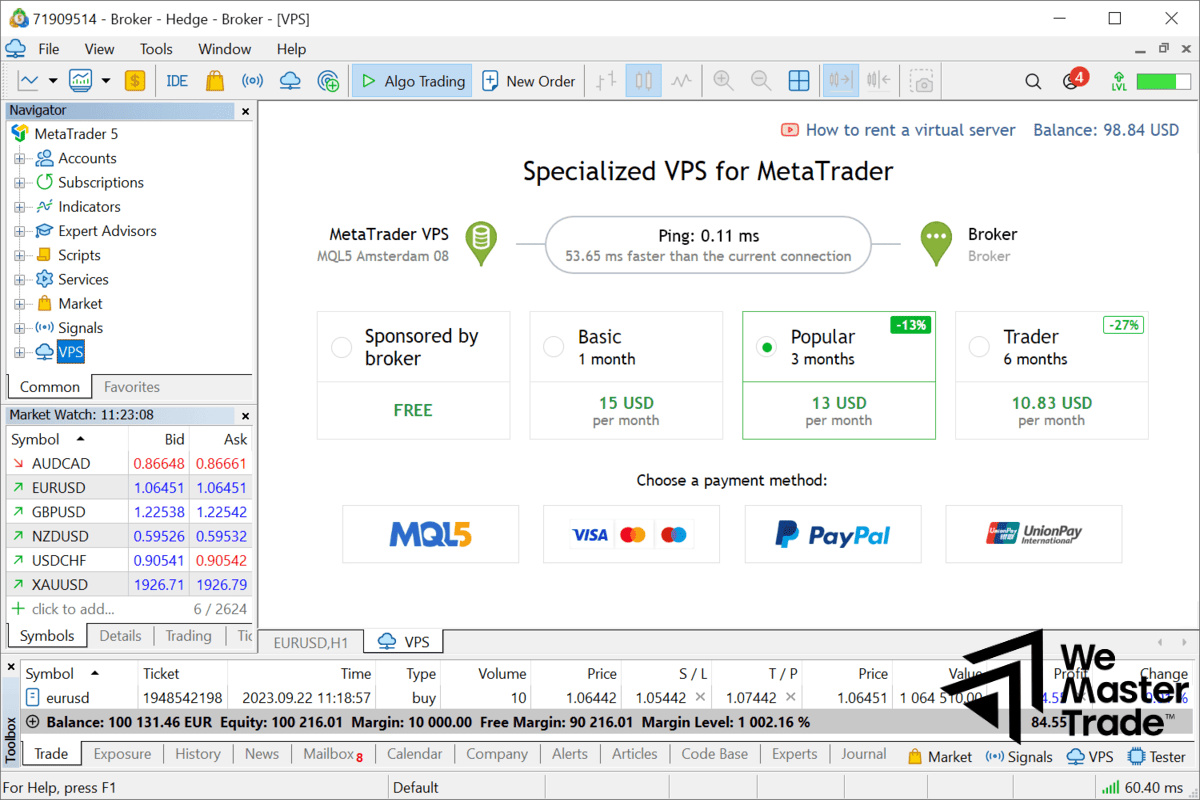
How to install MetaTrader 5 on a VPS
The setup process is straightforward and can be completed as follows:
- Connect via Remote Desktop (RDP): Use the Remote Desktop application on Windows or macOS to access the VPS IP address provided.
- Download and install MT5: Open a browser on the VPS, visit your broker’s website, and download the official MT5 installer.
- Configure Expert Advisors (EAs): Copy your EA files from your personal computer into the MQL5 folder on the VPS.
- Maintain operation: After enabling “Auto Trading,” you can close the Remote Desktop window. MT5 will continue running in the background on the server.
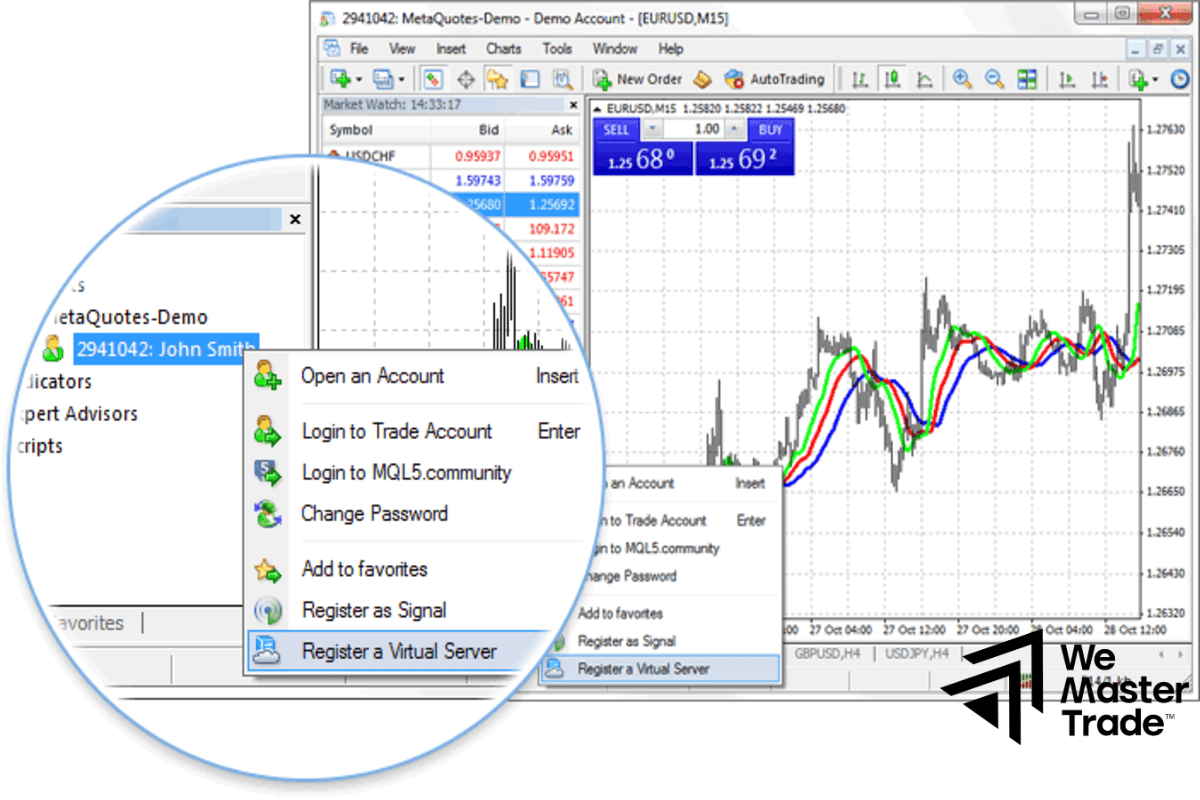
Optimizing MT5 performance in a VPS environment
To conserve resources and improve speed, Wemastertrade experts recommend:
- Closing unnecessary charts: Each additional chart consumes a significant amount of RAM.
- Limiting displayed bars: Go to Tools → Options → Charts and reduce “Max bars in chart” to a minimal value (e.g., 5000).
- Disabling sound notifications: Helps reduce CPU load on the VPS.
“Deadly” mistakes when using a Forex VPS
Based on real-world trading experience, many traders have made the following costly errors:
- Using free VPS services for real accounts: Free VPS services are often extremely unstable and pose serious security risks. Do not risk a trading account worth thousands of dollars just to save a few dollars per month.
- Ignoring latency (Ping): After installation, check the bottom-right corner of MT5. If the Ping is greater than 100ms, you should reconsider your VPS location.
- Forgetting auto-start configuration: Set MT5 to launch automatically with Windows in case the VPS reboots after system updates.
Frequently Asked Questions (FAQs)
Q: Can I run multiple MT5 accounts on one VPS?
A: Yes, but you must monitor RAM usage. Typically, 2GB RAM can stably run about 2–3 MT5 terminals with a moderate number of charts.
Q: Can I control my VPS from a mobile phone?
A: Absolutely. Simply install Microsoft’s “Remote Desktop” app from the App Store or Google Play to monitor trades anytime, anywhere.
Q: Does Wemastertrade sell VPS services?
A: No. We focus on providing knowledge, analysis, and technical guidance to help traders operate their trading systems in the most professional way possible.
See more:
Conclusion
Using a VPS for MT5 is the first step toward professionalizing your trading journey. It provides peace of mind, speed, and absolute discipline for automated trading strategies. We hope that the insights shared by Wemastertrade have given you a clear perspective and helped you choose the most optimal server solution for your needs.
Financial trading always involves risks. Make sure you equip yourself with solid knowledge before entering the market.