

 English Malay
  China
China  Türkiye
  France
  Spain
Spain  Vietnamese
  Thailand
  India
India  Русский
  Japan
Japan  Arabic
  Mexico
  Peru
Peru  Argentina
  Korea
Korea  Eng-Canada
  Cambodia
  Philippines
  Bangladesh
  Hong Kong
  Australia
  Singapore
  Colombia
  Iran
Iran EA (Expert Advisor), or an automated trading robot, also known as EA on MT5, is an intelligent trading system on the MT5 platform that helps traders automatically execute Forex buy/sell orders based on pre-programmed algorithms. This technology is used by millions of traders worldwide to optimize trading strategies and eliminate emotional factors.
What is an EA (Expert Advisor)?
An MT5 Expert Advisor is an automated trading program written in the MQL5 programming language and running on the MetaTrader 5 platform. This trading robot continuously analyzes the market and makes buy/sell decisions based on predefined conditions such as technical indicators, candlestick patterns, or price action.
A Forex EA can trade 24/7 without trader supervision, which is especially useful in the continuously operating Forex market. The system automatically places orders, sets Stop Loss and Take Profit levels, and manages risk according to preset parameters.
Classification of MT5 EA Trading Robots
Fully automated EA: Executes the entire process from analysis to order placement without any trader intervention. This type is suitable for busy traders or those who want to trade multiple currency pairs simultaneously.
Semi-automated EA: Only provides trading signals, while the final decision is still made by the trader. This is a good option for those who want greater control over their trading strategy.
Detailed Guide to Installing an EA on MT5
Step 1: Prepare the EA file
First, download the EA file to your computer in .ex5 (compiled file) or .mq5 (source code) format. You can download free EAs from the MQL5 Market or purchase them from reputable developers.
Step 2: Copy the EA into the Experts folder
Open the MetaTrader 5 platform and select File > Open Data Folder. In the window that appears, navigate to MQL5 > Experts and copy the EA file (.ex5 or .mq5) into this folder. Then restart MT5 so the system can recognize the new EA.
Step 3: Activate the EA on the chart
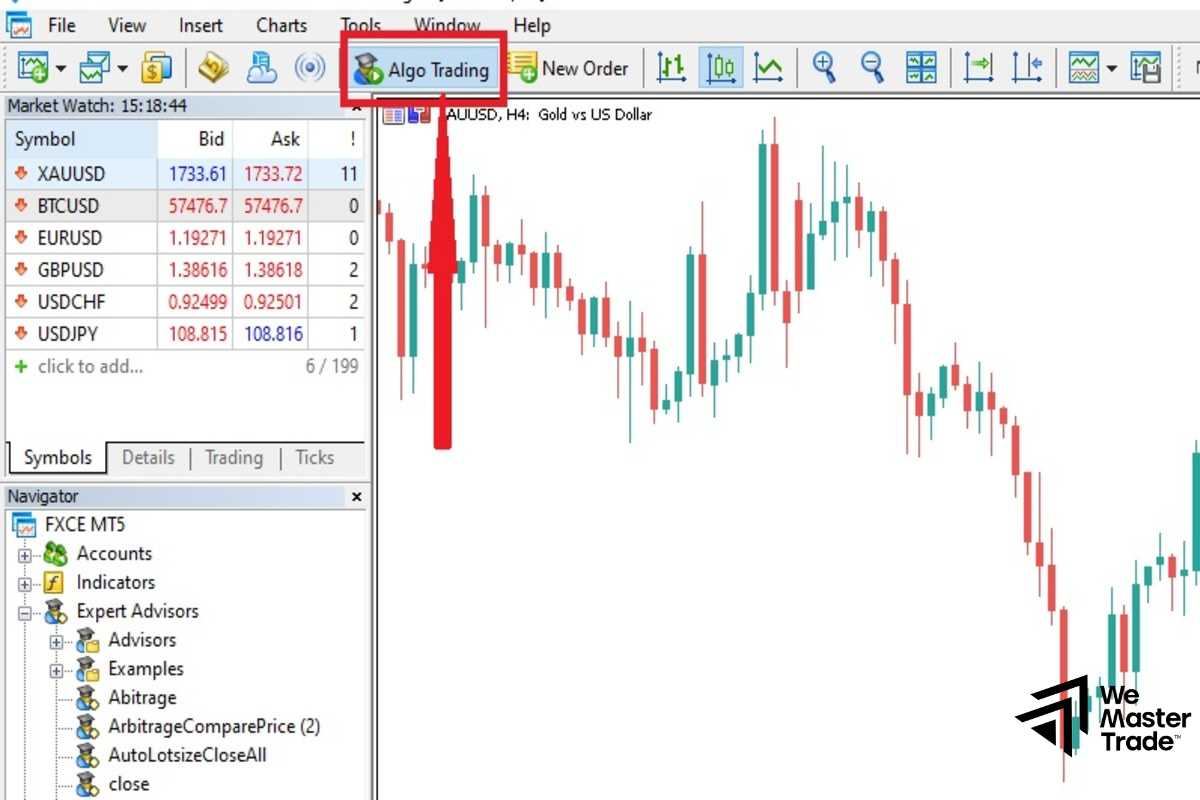
Open the Navigator panel (Ctrl+N), find the newly installed EA under Expert Advisors, and drag and drop it onto the chart of the currency pair you want to trade. A settings window will appear, allowing you to adjust parameters such as lot size, Stop Loss, Take Profit, and Magic Number.
Step 4: Test and run
Before running the EA on a live account, you should test it on a demo account to evaluate performance. Use the built-in Strategy Tester in MT5 to backtest the EA with historical data to determine profitability and risk levels.
Pros and Cons of Using an EA
Key advantages
Automated trading robots completely eliminate emotional factors—the leading cause of poor trading decisions. EAs can monitor the market and execute trades 24/7 without missing any opportunities.
Pre-programmed trading algorithms ensure consistency in strategy execution. EAs can also handle multiple currency pairs simultaneously, which is difficult for manual traders.
Disadvantages to consider
EAs cannot adapt to unexpected events or major fundamental changes in the market. Trading robots rely entirely on the quality of the algorithm—if the strategy is weak, results will be unsatisfactory.
Risk management remains critical—an EA can cause significant losses if not properly monitored and if parameters are not adjusted appropriately. Traders need to clearly understand the EA’s logic rather than relying on it completely.
Tips for Using EAs on MT5

Always thoroughly test an EA using the Strategy Tester with at least 1–2 years of historical data before live deployment. Run it on a demo account for 1–2 months to evaluate performance under real market conditions.
Choose a broker that provides strong support for automated trading, with low spreads and fast execution. If you want the EA to run 24/7, consider using a Forex VPS to ensure a stable, uninterrupted connection.
Do not allocate all your capital to a single EA—diversify across multiple strategies and currency pairs. Regularly monitor and adjust EA parameters according to market fluctuations to maintain optimal performance.