

 English Malay
  China
China  Türkiye
  France
  Spain
Spain  Vietnamese
  Thailand
  India
India  Русский
  Japan
Japan  Arabic
  Mexico
  Peru
Peru  Argentina
  Korea
Korea  Eng-Canada
  Cambodia
  Philippines
  Bangladesh
  Hong Kong
  Australia
  Singapore
  Colombia
  Iran
Iran You already have a satisfactory Forex Robot (EA) and have backtested it with good profit results. But you are facing a tough problem:
- “Do I really have to keep my computer on 24/7? It damages the machine and wastes electricity.”
- “What if there’s a power outage or internet drop in the middle of the night—can the Bot still cut losses?”
This is exactly why MT4 VPS was created. For professional traders, especially those managing funds at WeMasterTrade, a VPS is not a “cost,” but a shield that protects accounts from technical risks.
This article will explain what an MT4 VPS is, its benefits, and guide you on how to install an EA on a VPS so your trading system can operate non-stop.
1. What is an MT4 VPS?
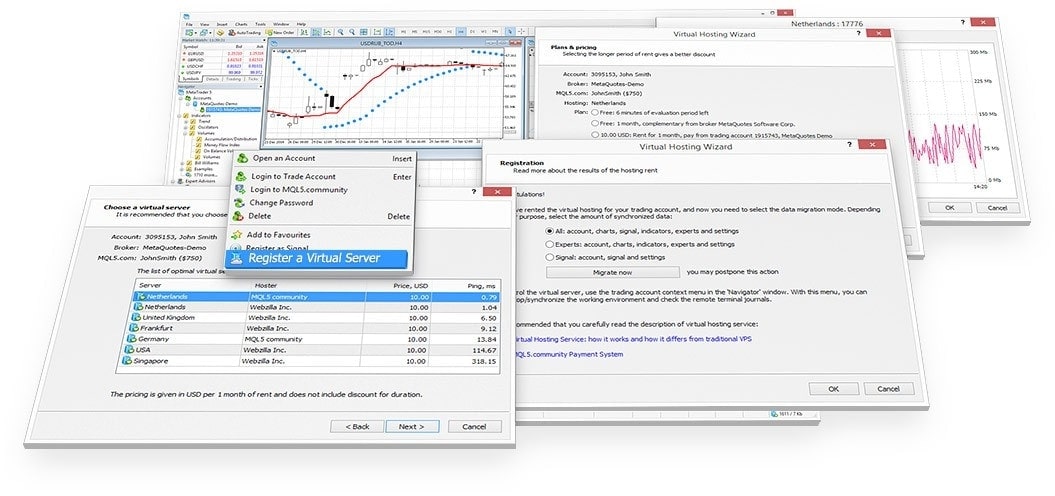
VPS (Virtual Private Server) is a virtual server. Imagine it like a computer running the Windows operating system, but:
-
It is not located in your home, but in large data centers around the world.
-
It operates 24/7/365, never shuts down, and never loses internet connection (even when you turn off your personal computer to sleep).
An MT4 VPS simply means renting this virtual server to install the MetaTrader 4 software and run your robot on it.
2. Three “life-or-death” benefits of trading EA on a VPS
Why does WeMasterTrade always advise students to use a VPS when trading funded accounts?

A. Continuous operation (99.9% uptime)
Forex robots need to monitor the market every second. If your home computer goes to sleep or loses power for 5 minutes right when Non-Farm news is released, the Bot will not be able to close trades. The consequence can be severe negative balance. A VPS completely eliminates this risk.
B. Ultra-fast order execution speed (Low latency)
VPS servers are usually located close to brokers’ servers (London, New York…).
-
From your home in Vietnam to the broker’s server: latency (ping) about 200ms – 300ms.
-
From the VPS to the broker’s server: latency only 1ms – 10ms.
This helps the Bot enter trades faster and avoid slippage, especially critical for scalping bots.
C. Freeing up your personal computer
You can turn off your computer, travel, or do other work. All trading activities still run quietly and steadily in the “cloud.”
3. How to install an EA on a VPS (Standard process)
Many people think VPS is difficult to use, but in reality it is just like your own computer. Below is how to move your robot to the “cloud”:
Step 1: Connect to the VPS
After renting a VPS (with IP, username, and password), do the following:
-
On your computer, open Remote Desktop Connection (built into Windows—just type it into the search box).
-
Enter the VPS IP address → Click Connect.
-
Enter Username and Password → OK.
A new screen window will appear. That is the VPS screen.
Step 2: Install MT4 on the VPS
On the VPS interface (usually Windows), open a web browser (Chrome/Edge), go to your broker’s website, and download MT4 to install as usual.
(Review the article [Guide to using MT4 for beginners] if you are not familiar with this step.)
Step 3: Install the EA into MT4 on the VPS
This is the step where many people get confused.
-
On your personal computer: Copy the EA file (.ex4 or .mq4).
-
Switch to the VPS screen: Paste the file onto the VPS desktop.
-
Open MT4 on the VPS: Go to File → Open Data Folder → MQL4 → Experts.
-
Paste the EA file here and activate it.
(For detailed activation steps, see the article: [What is an Expert Advisor and how to install it].)
After installation, you can simply close the Remote Desktop window. The VPS will continue running in the background indefinitely until you log in again.
4. Criteria for choosing a VPS for traders
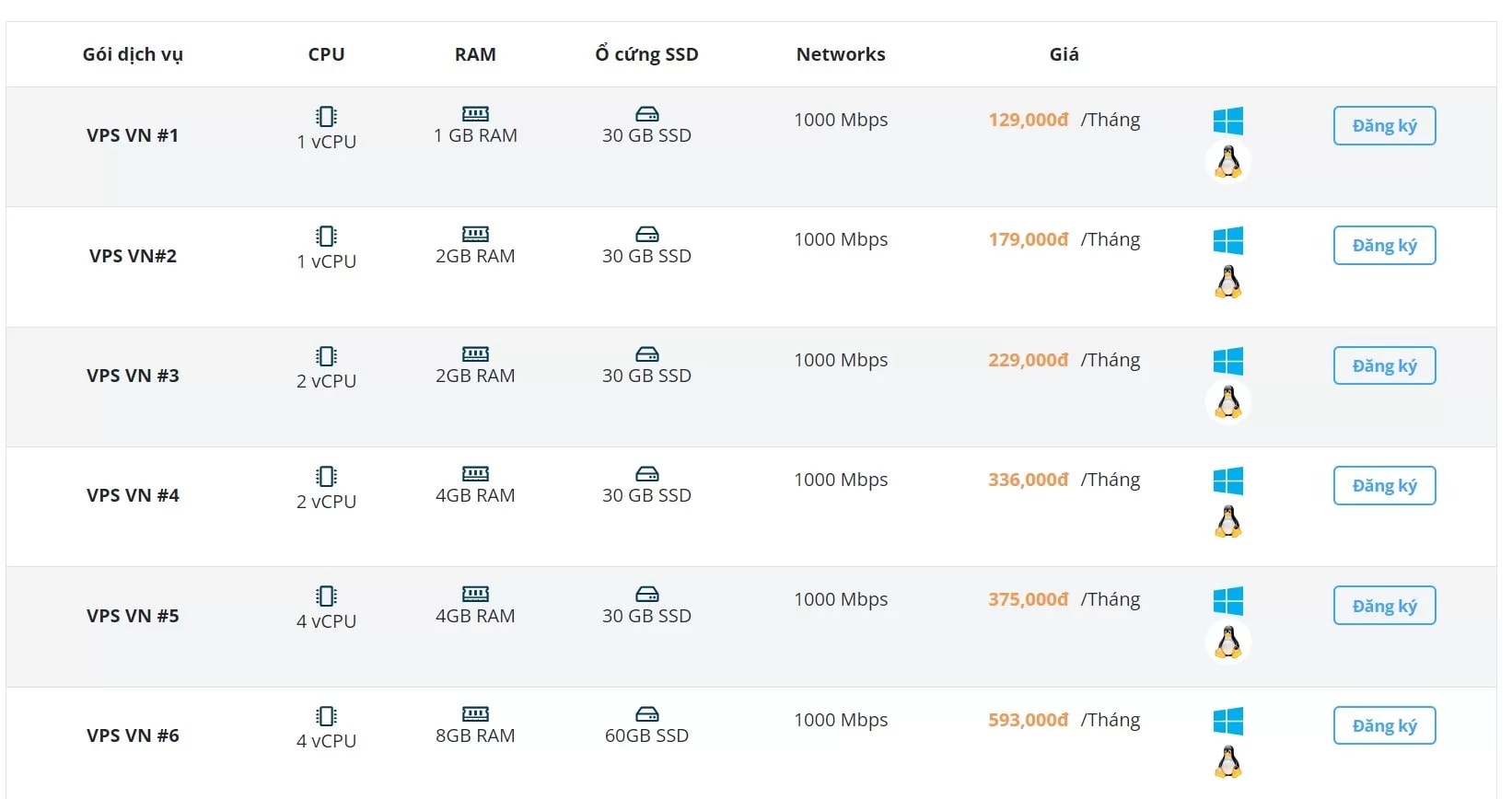
Not all VPS services are the same. To trade funded accounts safely, you should choose a VPS with at least the following specifications:
-
RAM: Minimum 1GB – 2GB (to run smoothly 1–2 MT4 platforms).
-
CPU: At least 1 core.
-
Location: Prefer servers located in London or New York (where most brokers’ servers and liquidity providers are based).
Using an MT4 VPS is a step that transforms you from an amateur trader into a professional. It helps you sleep better knowing that your account is always protected and your robot is working at full capacity under the best conditions.