

 English Malay
  China
China  Türkiye
  France
  Spain
Spain  Vietnamese
  Thailand
  India
India  Русский
  Japan
Japan  Arabic
  Mexico
  Peru
Peru  Argentina
  Korea
Korea  Eng-Canada
  Cambodia
  Philippines
  Bangladesh
  Hong Kong
  Australia
  Singapore
  Colombia
  Iran
Iran Do you want to make your trading results transparent or find weaknesses in your strategy? What is Trade Explorer, and why do all professional traders trust it? At Wemastertrade, we understand that tracking data is not just about looking back at the past, but about building a sustainable and profitable future. This article will guide you on how to connect your account and analyze key performance metrics on Forex Factory to elevate your trading skills today.
What Is Trade Explorer?
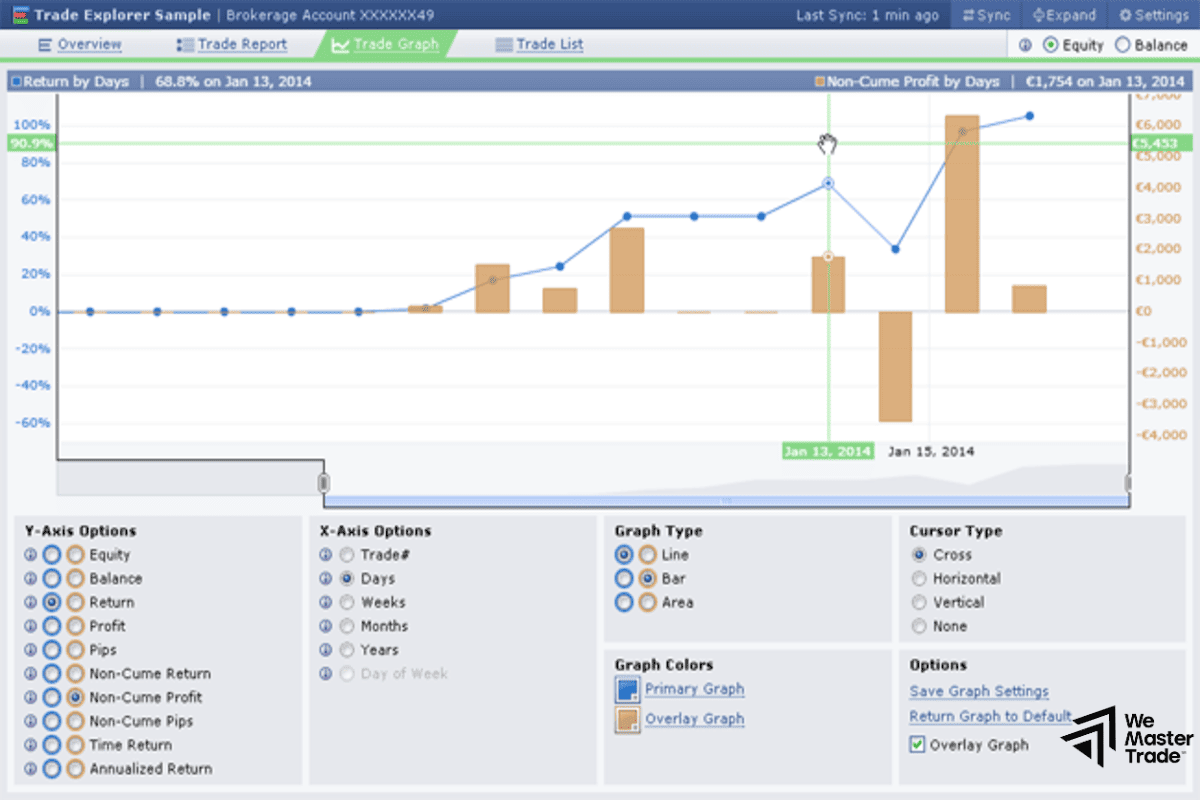
Trade Explorer is a completely free online trading journal tool integrated into the Forex Factory platform. It allows traders to connect their MetaTrader 4 (MT4) or MetaTrader 5 (MT5) accounts to automate performance tracking and analysis.
Instead of manually entering each trade into Excel—an approach that is both time-consuming and error-prone—Trade Explorer synchronizes data directly from your broker and displays it through intuitive charts such as Equity, Drawdown, and Profit Factor. For the community at Wemastertrade, this is considered the most reputable “professional profile” to prove a trader’s true skill level.
Why Should Traders Use Trade Explorer on Forex Factory?
Using Trade Explorer offers three core benefits that any serious investor needs:
- Transparency: When you make your Trade Explorer public, others can see your real trading performance without the possibility of manipulation through edited images. This is extremely important if you want to raise capital or offer copy trading services.
- Psychological and strategy analysis: This tool helps you identify systematic mistakes, such as which timeframes you often lose in, which currency pairs generate the highest profits, and whether you are managing risk effectively.
- Fully automated: Once set up with the Investor Password, the data updates automatically, saving you hours of reporting work every week.
Detailed Guide to Setting Up Trade Explorer on Forex Factory
To get started, follow the standard process that experts at Wemastertrade regularly apply:
Step 1: Prepare the Investor Password
This is a “read-only” password that allows Forex Factory to access your data without being able to interfere with your trades. You can obtain this password in the settings section of your MT4/MT5 platform.
Step 2: Create a New Trade Explorer
Go to the Forex Factory homepage, log in, and select the “Trade Explorer” section. Click on “Create Trade Explorer” to begin the setup.
Step 3: Connect to Your Broker
Fill in the required information, including:
-
Broker: The name of the broker you are using.
-
Server: Your account’s server.
-
Account Number: Your trading account number.
-
Investor Password: The read-only password prepared in Step 1.
Step 4: Customize Privacy Settings
You can choose between “Public” or “Private” mode. At Wemastertrade, we recommend setting it to Public if you want to build a personal brand, or Private if you only want to use it for self-review.
How to Analyze Trading Performance Like a Professional
Once the charts are displayed, you should focus on the following key metrics to assess account health:
Equity and Balance Charts
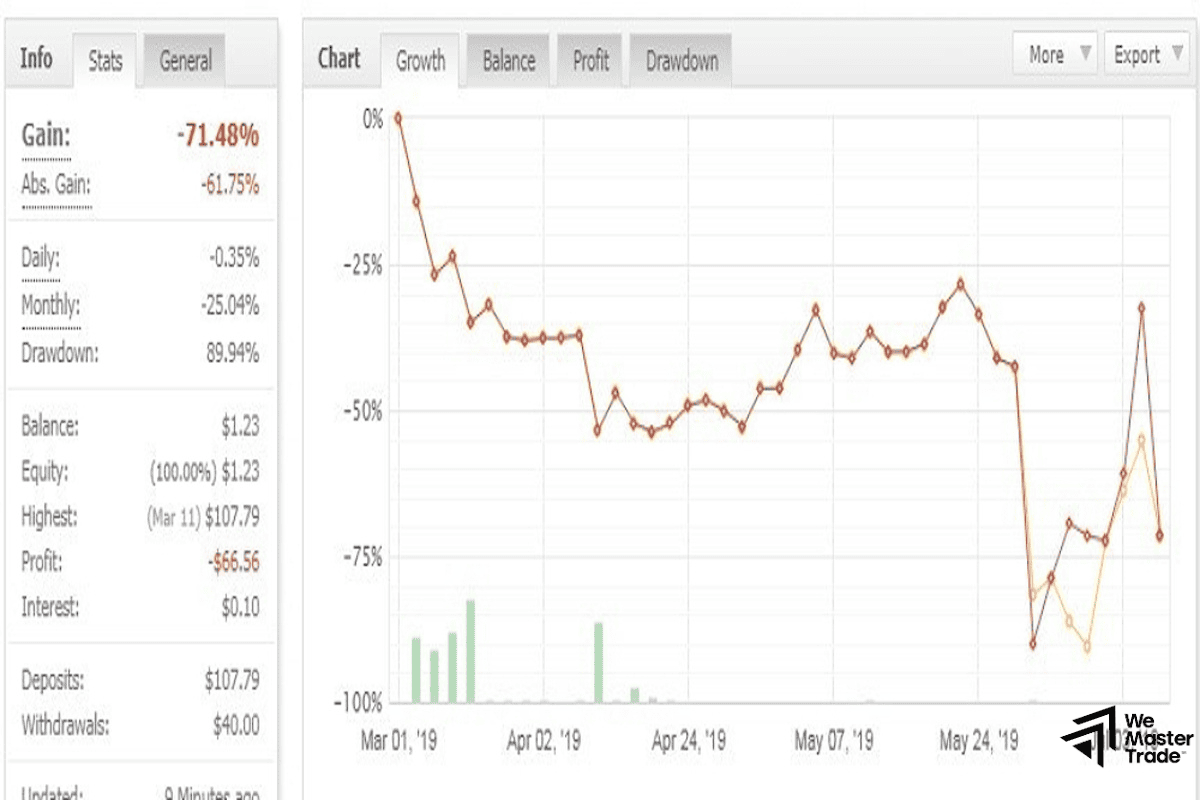
A good trader will have a steadily rising Equity curve with minimal large gaps or sharp drops. If your Equity fluctuates too violently, it is a sign of excessive leverage or a lack of discipline.
Drawdown
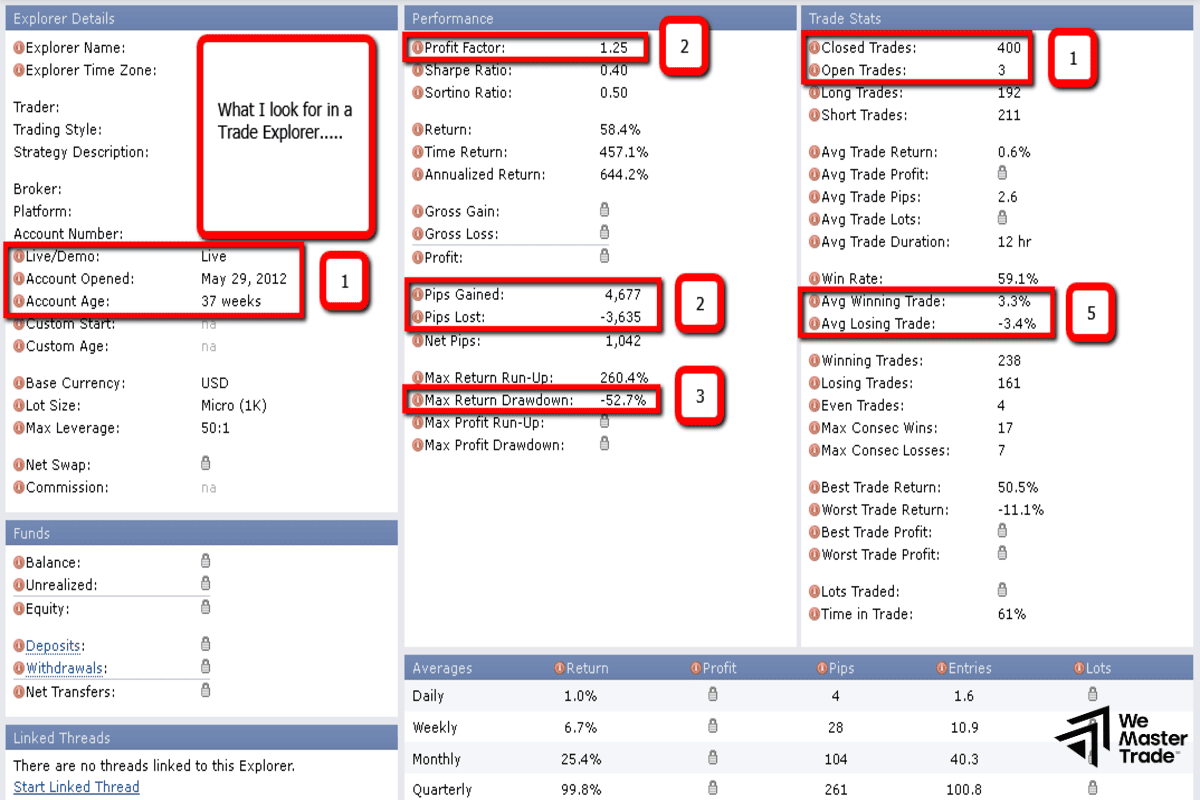
This is the most important risk metric. Drawdown shows the maximum percentage decline from the equity peak. An account that makes 100% profit but experiences an 80% drawdown is never considered safe. At Wemastertrade, we always encourage students to keep drawdown below 15–20%.
Profit Factor
This metric is calculated as:
-
Below 1.0: You are losing money.
-
1.0 – 1.5: Average performance.
-
Above 2.0: This is a sign of an extremely effective trading strategy.
Win Rate and Risk:Reward Ratio
The combination of win rate and risk-to-reward ratio determines whether you can survive long-term in the market. A low win rate (40%) can still build significant wealth if your R:R is 1:3 or higher.
Comparing Trade Explorer and Myfxbook
Although Myfxbook is a major competitor, the Trade Explorer on Forex Factory has the advantage of an extremely clean interface with minimal distracting advertisements. Moreover, its deep integration into the Forex Factory ecosystem makes it easy to connect with the largest trader community in the world. However, if you need more advanced API-based analytics, Myfxbook may have a slight edge.
Safety and Security Assurance
Many traders worry about providing their Investor Password. However, according to industry security standards, this password does not allow withdrawals or trade execution. Forex Factory is a decades-old platform with extremely high credibility, so you can be completely confident.
Wemastertrade reminds you: Never share your trading password (Master Password) with any third-party tool under any circumstances.
Frequently Asked Questions (FAQs)
- Does Trade Explorer support MetaTrader 5?
Yes, Forex Factory has been updated to fully support both MT4 and MT5. - Why is my Trade Explorer not updating?
This issue is usually caused by entering the wrong broker server or an Investor Password that has been changed. Recheck the information in the Edit section. - Can I hide open trades?
Yes, in the privacy settings, you can choose to hide open positions to protect your trading strategy.
See more:
- What is MT5? A Detailed A–Z Guide to MetaTrader 5 YOU MUST NOT MISS!
- MT4 vs MT5: Which Platform is Best for Your Trading Strategy?
- Detailed MT5 Installation Guide from A–Z (2025) – Complete Instructions
Conclusion
Understanding what Trade Explorer is and knowing how to analyze its data is a crucial step toward professionalizing your trading career. Don’t trade based on emotions alone—let the numbers on Forex Factory guide your decisions.
We hope this article from Wemastertrade has provided you with a comprehensive and practical perspective. Start connecting your account today to experience the difference in risk management thinking!